Updated October 25, 2026 | Google Analytics, Google Tag Manager & Conversion Tracking
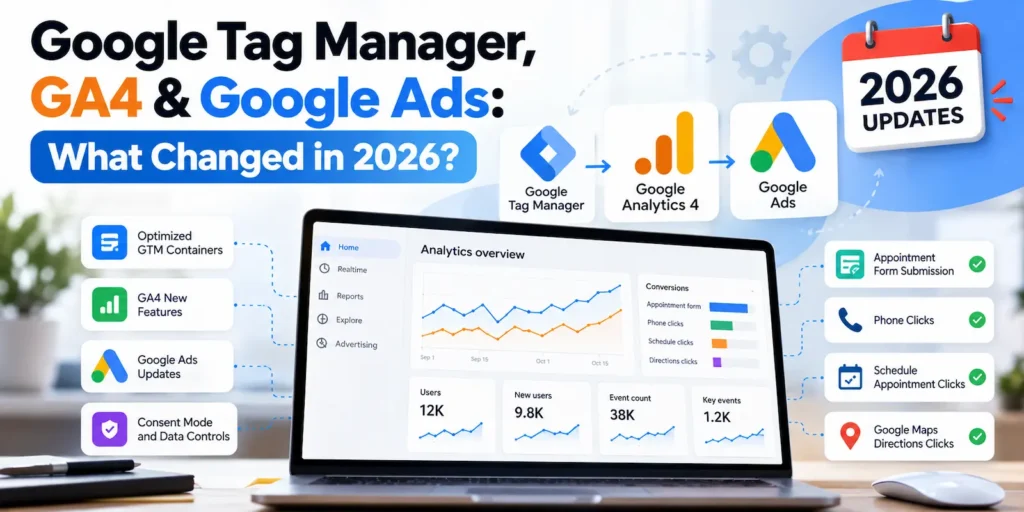
If you use Google Analytics 4 (GA4), Google Tag Manager (GTM), or Google Ads to measure website performance, several important Google updates in 2026 deserve your attention.
Google is changing how tags connect to its measurement products, introducing more centralized settings, improving conversion management, and expanding controls over how data is collected.
For businesses running Google Ads, these changes are particularly important. A tracking setup that records page visits as leads, duplicates conversions, or ignores cookie consent preferences can produce misleading reports and influence advertising decisions.
The good news? You don’t necessarily need to rebuild your entire tracking setup. But you should understand what’s changed and review your existing configuration.
Here are the updates I believe website owners and digital marketers should prioritize.
1. Google Tag Manager Introduces Optimized Destination Tags
Announced: August 20, 2026
Major release: October 12, 2026
One of Google’s biggest recent tracking updates is the introduction of optimized Google Tag Manager containers.
Previously, GTM commonly loaded an additional Google tag JavaScript library to communicate with Google Analytics or Google Ads.
Under the new optimized setup, GTM can send measurement data directly to supported Google destinations, reducing the need for additional JavaScript loading.
What’s changed?
Google has introduced a more unified system with several improvements:
- Google destinations: Dedicated destination tags for Google Analytics, Google Ads, and supported Google products.
- Centralized settings: Shared tracking settings can be managed within GTM.
- Potential performance improvements: Reduced JavaScript loading may improve tagging efficiency.
- Simplified management: Google destinations and their associated event tags are easier to identify and troubleshoot.
- Improved access management: Connected Google products can be managed with clearer permissions and account links.
For example, a website using both GA4 and Google Ads can manage those destinations within its GTM container while continuing to use separate event tags for lead submissions and other important actions.
Should you upgrade your existing GTM container?
Google recommends optimization, but the migration is not mandatory or automatic for existing GTM containers.
My recommendation is to review your existing setup before upgrading.
Check your current tags, destination settings, consent configuration, and account permissions. Then use GTM Preview to verify that events still fire correctly before publishing any changes.
For a completely new website, starting with the optimized destination-tag architecture is a practical approach.
For an established website with reliable tracking, a planned migration is better than an immediate change without testing.
Official reference: Google’s 2026 GTM updates
2. Google Changes How GTM Handles gtag('config')
Released: October 8, 2026
Google also standardized how Google Tag Manager initializes when a website uses Google tag configuration commands.
Under the updated behavior, GTM container snippets initialize when the container loads, regardless of gtag('config') commands.
Configuration commands can now appear as visible gtag.config events in the data layer.
Why this matters
Some websites have older tracking implementations that mix:
- Google Tag Manager
- Directly installed Google tags
- WordPress analytics plugins
- Custom JavaScript tracking code
These implementations can become difficult to maintain, especially when multiple tools are responsible for sending the same events.
Google specifically warns that wildcard custom-event triggers may respond unexpectedly to the newly visible gtag.config events.
My recommendation: Audit your existing installation before introducing new tags. Check for overlapping installations, broad custom-event triggers, and duplicate page views or conversions.
This is particularly important when rebuilding WordPress websites or migrating from plugin-based tracking to GTM.
Official reference: Google Tag Manager release notes
3. GA4 Introduces More Flexible Conversion Windows
Released: August 11, 2026
Google Analytics updated conversion attribution settings to support more flexible lookback windows.
A lookback window determines how far back an eligible advertising interaction can be considered when assigning conversion credit.
The updated options include:
| Attribution window | New supported range |
|---|---|
| Click-through conversion | 1–90 days |
| Engaged-view conversion | 1–30 days |
Previously, these settings offered more limited preset choices.
Why this matters for lead generation
Different businesses have different customer decision cycles.
Someone looking for an emergency repair service might contact a business immediately. Someone researching financial consulting, legal services, or a major home renovation could take longer to submit an inquiry.
The ability to customize conversion windows provides more flexibility when matching attribution settings to the business’s typical customer journey.
However, a longer attribution window does not automatically improve marketing performance. It can change which interactions receive conversion credit and how results are reported.
My recommendation: Choose attribution settings based on the sales process and reporting needs, rather than automatically selecting the longest available window.
Official reference: What’s new in Google Analytics
4. GA4 Adds Hostname Filters and Better Reporting Tools
Released: September 2026
Google Analytics introduced two useful improvements for businesses managing website analytics.
Hostname Include Filters — September 21
GA4 now supports hostname Include filters, allowing administrators to specify which domains are authorized to send website event data to a property.
This can help reduce unwanted analytics data from unexpected or unauthorized hostnames.
For example, a business may want its GA4 property to collect events only from its primary website and approved subdomains.
However, these filters should be configured carefully. Incorrect rules may exclude legitimate traffic, and Google notes that events sent through Measurement Protocol are not subject to these hostname Include filters.
GA4 Dashboards — September 9
Google also introduced dashboards to make it easier to review KPIs in one place.
For a lead-generation business, a dashboard could bring together website traffic, important engagement events, and conversion performance.
My recommendation: Focus reporting on meaningful business actions. A simple dashboard showing lead submissions, traffic sources, and engagement trends is often more useful than a large collection of metrics without a clear purpose.
Official reference: GA4 release notes
5. Google Ads Simplifies Enhanced Conversions
Updated: April–June 2026
Google Ads also changed how Enhanced Conversions for web and leads are managed.
Enhanced Conversions help improve conversion matching by using permitted, hashed first-party customer information, such as email addresses, alongside existing conversion signals.
With the 2026 changes, Google moved toward a unified Enhanced Conversions setting.
Google Ads can accept eligible user-provided data from multiple supported sources, including website tags, Data Manager, and API integrations, without requiring advertisers to select only one implementation method.
What does this mean for advertisers?
Businesses may have more flexibility when sending eligible conversion information from different systems.
For example, an online form submission and a later qualified-lead update may be part of the same measurement strategy.
However, Enhanced Conversions require careful implementation.
You should confirm that the collected data is eligible, the relevant permissions and consent are in place, and the setup is not unnecessarily duplicating information.
My recommendation: First establish reliable standard conversion tracking. Then evaluate Enhanced Conversions if they are relevant to your business and can be implemented responsibly.
Official reference: Google Ads Enhanced Conversions changes
6. Google Consent Mode and Data Transmission Controls Deserve Attention
Google Consent Mode v2 is not a new 2026 release, but it remains an essential part of a modern GA4 and Google Ads setup.
Google Consent Mode communicates visitors’ consent preferences to Google’s measurement products.
Four important signals are:
| Consent signal | Purpose |
|---|---|
analytics_storage | Analytics-related storage |
ad_storage | Advertising-related storage |
ad_user_data | Sending user data to Google for advertising |
ad_personalization | Personalized advertising |
Basic vs. Advanced Consent Mode
Google supports two implementation approaches.
Basic Consent Mode prevents Google tags from loading until the appropriate consent is granted.
Advanced Consent Mode can load Google tags with consent defaults set to Denied. Depending on the configuration, Google may receive restricted, cookieless signals before consent is granted.
The appropriate approach depends on the business’s privacy requirements, consent-management implementation, and measurement needs.
Data Transmission Controls
Google also provides controls for restricting advertising, behavioral analytics, and diagnostic data transmission.
These settings can be managed in supported Google tag configurations, including the centralized Settings area of optimized GTM containers.
One important distinction: restricting data transmission is not necessarily the same as preventing a tag from loading.
If your goal is strict Basic Consent Mode, you must verify both tag-loading behavior and data transmission.
A practical WordPress consideration
Cookie consent plugins do not automatically guarantee a correct tracking setup.
A website can display a cookie banner while GA4 or Google Ads continues sending information in ways that don’t match the intended consent configuration.
WordPress optimization and caching plugins can also interfere with consent banner scripts.
My recommendation is to test a website under three conditions: before any consent choice, after accepting cookies, and after rejecting cookies.
Use Google Tag Assistant and GTM Preview to examine the actual consent signals and measurement behavior.
A successful-looking consent banner isn’t a substitute for technical verification.
Official references: Google Consent Mode overview and Google Data Transmission Controls
7. Accurate Conversion Goals Still Matter More Than the Number of Events
Google’s improved tagging tools make event collection easier, but more collected events don’t necessarily mean better conversion tracking.
This is especially important for Google Ads campaigns using automated bidding.
Consider a business that wants customers to request appointments.
Its website might record:
| Website interaction | Recommended measurement |
|---|---|
| Appointment form successfully submitted | GA4 generate_lead and a Google Ads lead conversion |
| Phone number clicked | GA4 engagement event |
| Appointment page link clicked | GA4 engagement event |
| Google Maps directions clicked | GA4 engagement event |
| Qualifying call from an ad | Google Ads phone-call conversion |
These actions have different business meanings.
A visitor clicking a phone number does not guarantee a completed call. Similarly, someone visiting the contact page has not necessarily submitted a lead.
Google Ads allows advertisers to distinguish between Primary and Secondary conversion actions and select which goals a campaign uses for bidding.
Generally, Primary conversions should represent valuable actions the campaign is intended to generate, while Secondary actions can provide additional reporting context.
Example: Tracking appointment requests
For a WordPress website using Elementor, one practical approach is to redirect the visitor to a dedicated Thank You page after a successful form submission.
GTM can then trigger a GA4 generate_lead event and a corresponding Google Ads conversion.
This is often straightforward to implement, but it has an important limitation: direct visits or refreshes of the Thank You page can cause additional event firing.
For more robust measurement, a verified form-success event and submission-specific identifiers can provide better control when the form system supports them.
Also, if you’re measuring the same lead through both a direct Google Ads tag and an imported GA4 conversion, avoid unintentionally treating both as independent Primary conversions for the same business outcome.
Official references: Google Ads conversion goals and GA4 recommended events
What Should Website Owners Do Now?
You don’t need to implement every new Google feature immediately.
Instead, start with a focused tracking audit.
My 2026 Tracking Checklist
- Check whether your GTM container uses the legacy Google tag setup or optimized destination tags.
- Review GA4 and Google Ads installations for unnecessary duplication.
- Confirm that successful form submissions are tracked as leads, not simple contact-page visits.
- Review Google Ads Primary, Secondary, and campaign-specific conversion goals.
- Check whether your GA4 attribution settings reflect your business’s customer journey.
- Verify that your consent management and Google data transmission settings behave as intended.
- Test events in GTM Preview, GA4 DebugView, and Google Ads diagnostics before publishing changes.
The goal is not to install more tracking tools. It’s to make sure your existing tools collect information that is accurate enough to support useful decisions.
Frequently Asked Questions
Do I need to upgrade Google Tag Manager in 2026?
Not necessarily. Google recommends optimized GTM containers, but existing implementations can continue operating. Review your current configuration, permissions, and event tracking before migrating.
Does Google Consent Mode v2 replace a cookie banner?
No. Consent Mode communicates consent signals to Google products. A consent-management system or other appropriate mechanism is still needed to collect and manage visitors’ choices where required.
Should every GA4 event become a Google Ads conversion?
No. Events such as button clicks, scrolls, and page views may be useful for analysis, but only actions relevant to the campaign’s business objective should normally drive bidding.
Can I use both GA4 and direct Google Ads conversion tracking?
Yes. They can coexist, but you need to understand what each measures and avoid counting the same underlying lead twice in campaign optimization.
Final Thoughts
The 2026 Google tagging updates are moving analytics and advertising measurement toward a more centralized and integrated system.
Optimized GTM containers can simplify destination management. GA4 offers more reporting and attribution flexibility. Google Ads continues to improve conversion management, while consent controls provide additional options for managing data collection.
But the most important principle remains unchanged:
Accurate conversion tracking starts with defining what a meaningful customer action actually is.
For business websites, reliable measurement means knowing the difference between someone browsing a page, clicking a button, submitting an inquiry, and becoming a customer.
That’s the foundation of useful analytics and better-informed advertising decisions.
Need Help With GA4, GTM, or Google Ads Conversion Tracking?
I help businesses plan, implement, troubleshoot, and validate website tracking using Google Analytics 4, Google Tag Manager, and Google Ads.
Whether you’re launching a new WordPress website, rebuilding an existing site, or investigating inaccurate conversion reports, I can help establish a clearer measurement setup.
Explore My Analytics & Conversion Tracking Services
Official Sources and Further Reading
- Google Tag Manager Release Notes — October 2026
- Google Tag and GTM Updates — August 2026
- What’s New in Google Analytics — 2026
- Google Ads Enhanced Conversions Changes
- Google Consent Mode Overview
- Data Transmission Controls
- Google Ads Conversion Goals
This article reflects Google’s published documentation available as of October 25, 2026. Product availability, interface labels, and measurement requirements may change over time.